The feed tells you what arrived. The statement tells you what happened.
Running QuickBooks Online on the bank feed? It saves real typing, and it is a fine daily view. What it cannot do is prove that everything arrived, and that is exactly the part a bookkeeper or tax preparer answers for.

What a feed leaves out.
QuickBooks does not download anything older, or anything still pending.1
How long a posted transaction can take to reach QuickBooks.1
A feed carries no opening balance, no ending balance and no count to check against.5
Feeds are convenient, and convenience hides the gaps. Here is what the providers' own documentation says:
Not there yet, or not any more
Pending items and anything older than 90 days never arrive.1 A month that closes on the 31st is not complete on the 31st.
A history set by the bank
Some banks give 90 days and no pending items; others limit history by account type.2 A new client's last year is usually out of reach.
Silent gaps
Feeds go quiet when the bank has an error or processing is delayed.3 Nothing in the feed tells you a week is missing.
Duplicates and wrong buckets
A transaction changing on its way from pending to posted can arrive twice.3 Active feeds can still produce inaccurate statements.4
Nothing to tie out
Reconciling in QuickBooks means checking against the statement's ending balance.5 The statement is the reference; the feed is a copy of part of it.
Not what an examiner asks for
When a client's return is examined, the support is the account statement, not the feed.6
Why the statement is the record.
“For most small businesses, the business checking account is the main source for entries in the business books.”
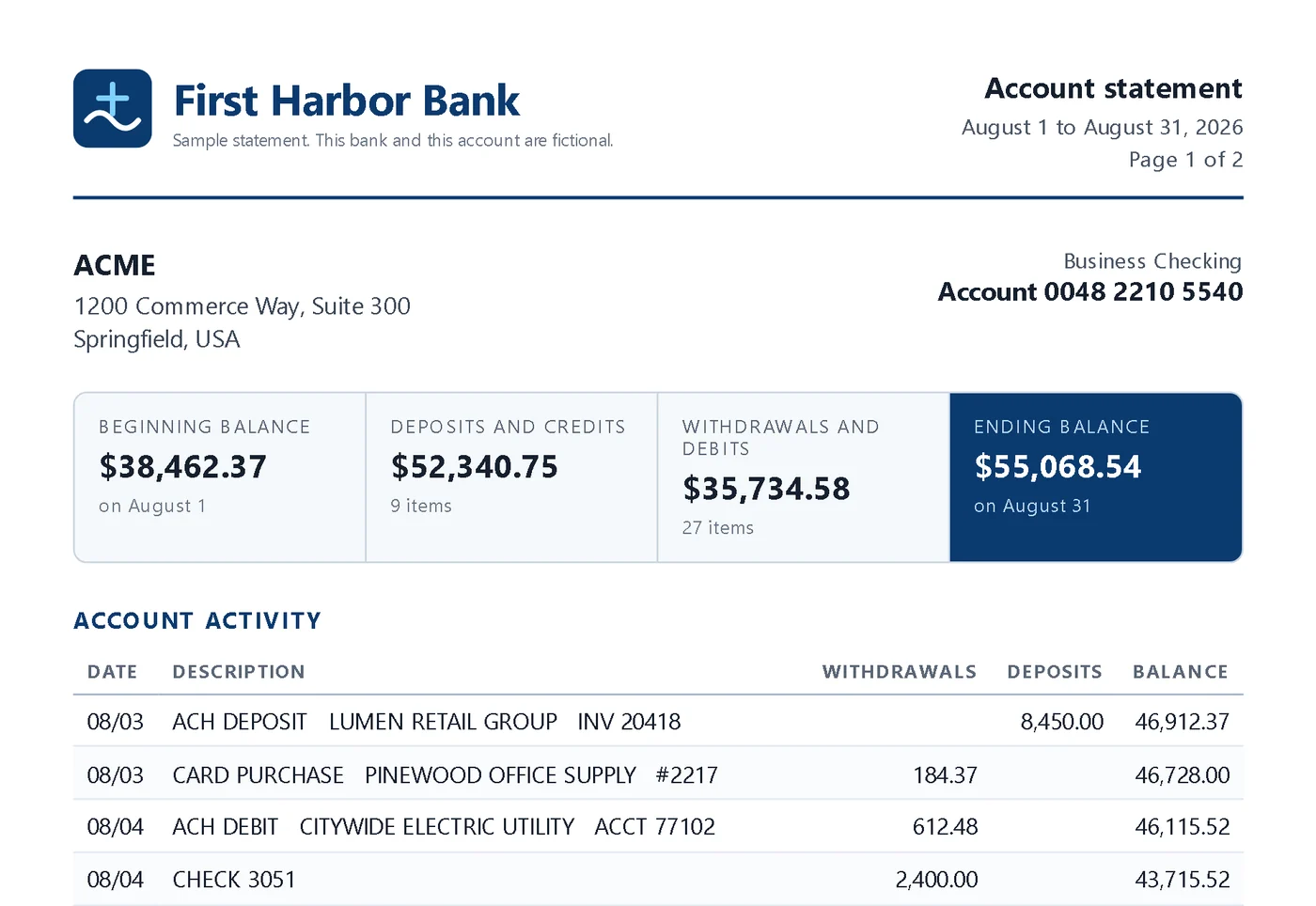
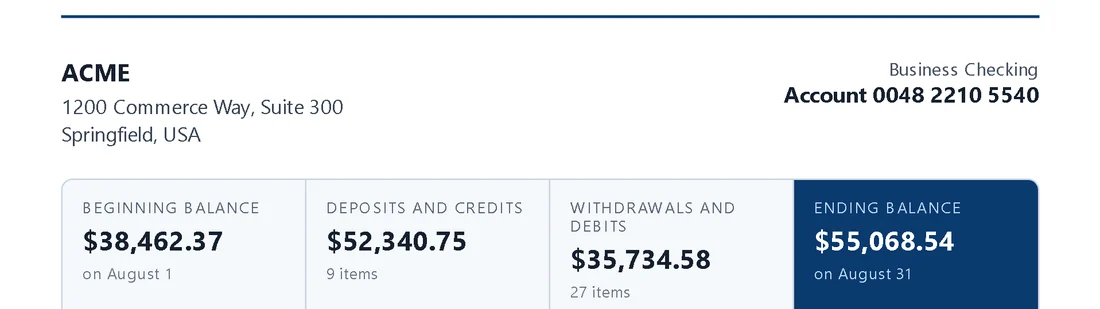
The statement carries everything the feed lacks: the opening balance, the deposits and withdrawals totals, the count of items and the ending balance. A month that ties to those numbers is a month you can sign. That is the standard a tax preparer is held to, and it is why firms that use feeds still reconcile against the statement every month.5
Everyone agrees the statement is the record. Getting it into QuickBooks is the problem.
Type every line
The most reliable way and the most expensive hour in the firm, every month, for every client.
Accurate, and slowRun it through a converter
A spreadsheet comes out and the typing starts again: categorize, import, fix, check. We compared that here.
Cheap, and half doneTrust the feed alone
Convenient, until the month the feed missed a week. The record and the books only meet at reconciliation, if someone has time.
Easy, and unprovenThe ease of the feed. The reliability of the statement. And more.
What if the statement were as easy to use as the feed? That is QBuddy. Send the PDF or CSV and he reads every transaction, including the checks, from the document the bank stands behind. Then he goes further than either a feed or a typist:
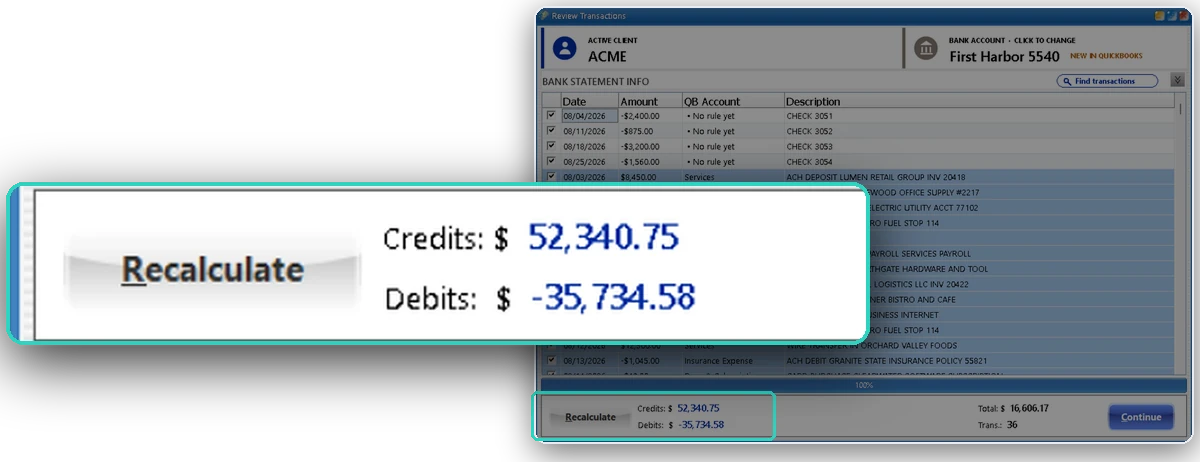
Every total, proven before anything posts
QBuddy compares what he read with the statement's own credits, debits and ending balance. If they disagree, he stops and shows you where. A feed cannot do this: it never had the totals.
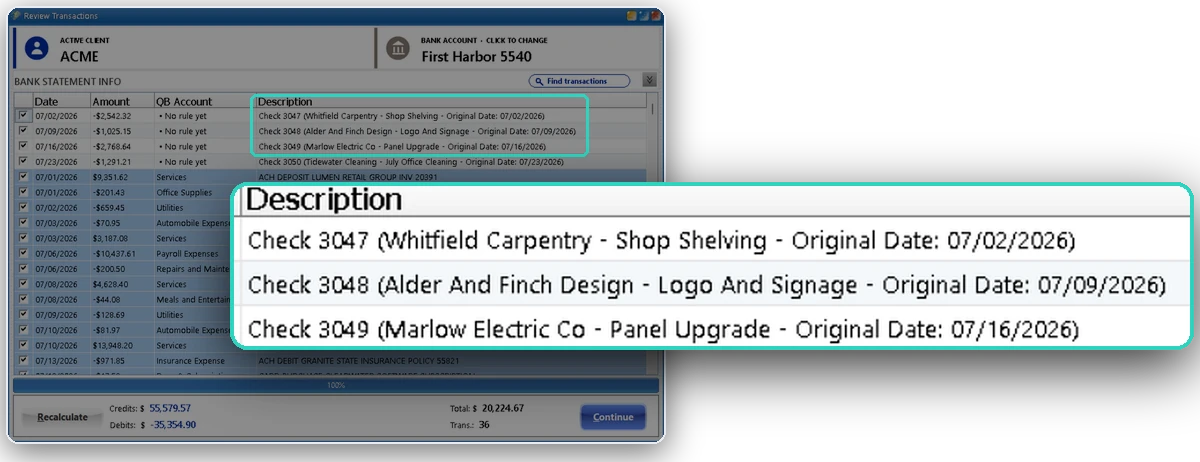
The payee and the memo, not just CHECK 3051
QBuddy reads the check images on the statement, so every check arrives with who was paid and what for.
Rules that follow each client
Made once, on that client's own chart of accounts. Every later statement arrives categorized, and a rule that fits another client can be reused there.
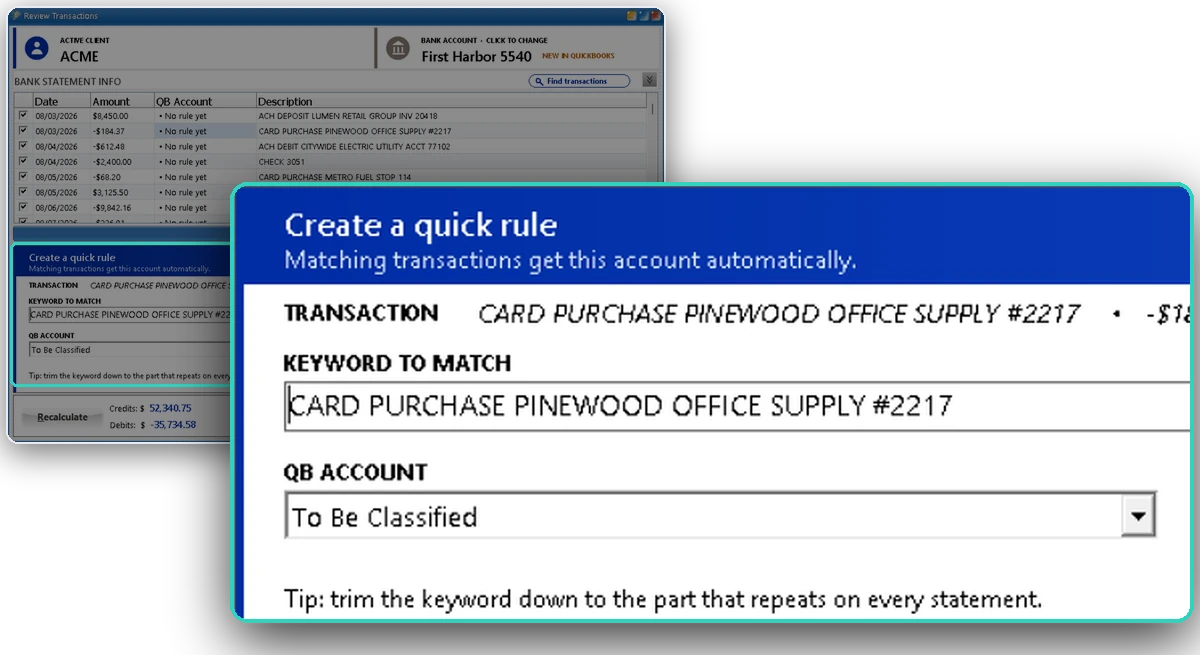
Any bank, any period
The statement exists for every account and every month, including the ones the feed never reached.
One click into QuickBooks
QuickBooks Online or any Desktop version, chosen per client. No import files.
The firm on one screen
Statements, clients, who did what, and an ROI report in your own minutes and hourly cost.
The screens on this page are QBuddy with a sample firm and invented data.
Three ways to get a month into QuickBooks.
| Bank feed | Typing the statement | QBuddy | |
|---|---|---|---|
| Source | The bank's data stream, as delivered | The statement | The statement |
| Complete month | Pending, older and delayed items can be missing | Complete, if nobody skips a line | Complete, and proven against the bank's totals |
| History | Set by the bank, often 90 days | Any period | Any period |
| Balances to tie out | None | On the page, checked by hand | Checked automatically before posting |
| Handwritten checks | A line that says CHECK | Read and keyed by a person | Payee and memo read from the image |
| Effort per statement | Low | Hours | Minutes, your team only reviews |
| Destination | QuickBooks Online mostly | Either, keyed by hand | QuickBooks Online and every Desktop version, one click |
Keep the feed. Close from the statement.
Use the feed for
- A quick daily look at the accounts
- Catching a large item between closes
- Clients who like seeing activity early
Use QBuddy from the statement for
- The books of record, tied to the bank
- Every account and month the feed misses
- Catch-up work and a new client's prior year
- The month you sign and the return you file
Where every claim comes from.
Every number on this page links here. Each source opens the original page in a new tab.
- quickbooks.intuit.comIntuit · QuickBooks help: Find missing downloaded transactions
“QuickBooks doesn't download pending transactions or transactions older than 90 days.” “It may take up to 48 hours for transactions to come over to QuickBooks.”
- plaid.comPlaid · Transactions documentation
How far back the history goes depends on each institution: some provide only 90 days and no pending transactions; others limit history by the type of account.
- plaid.comPlaid · Transactions troubleshooting
Transactions can be missing when “the institution is experiencing an error” or “processing of the transactions has been delayed”; a transaction that is “updated, modified, or posted” can appear as a separate transaction.
- polaristaxandaccounting.comPolaris Tax and Accounting · Why QuickBooks bank feeds create problems
“A QuickBooks file can have active bank feeds and still produce inaccurate financial statements.” Duplicates “often happen when users manually enter transactions and later accept the same transaction from the bank feed.”
- quickbooks.intuit.comIntuit · QuickBooks help: Reconcile an account in QuickBooks Online
Reconciling compares the transactions in QuickBooks with the account statement, using the statement's ending balance and ending date, until the difference is zero.
- irs.govIRS · What kind of records should I keep
“For most small businesses, the business checking account is the main source for entries in the business books.” Account statements are listed among the documents that support expenses.
See a month the feed got wrong.
Book a 15-minute demo and bring that statement. We will run it live and tie it out to the bank.