How to stop typing bank statements, for good.
Manual statement entry survives at even the most modern firms, not because anyone likes it, but because it always works and never demands a decision. Here is how to actually retire it.
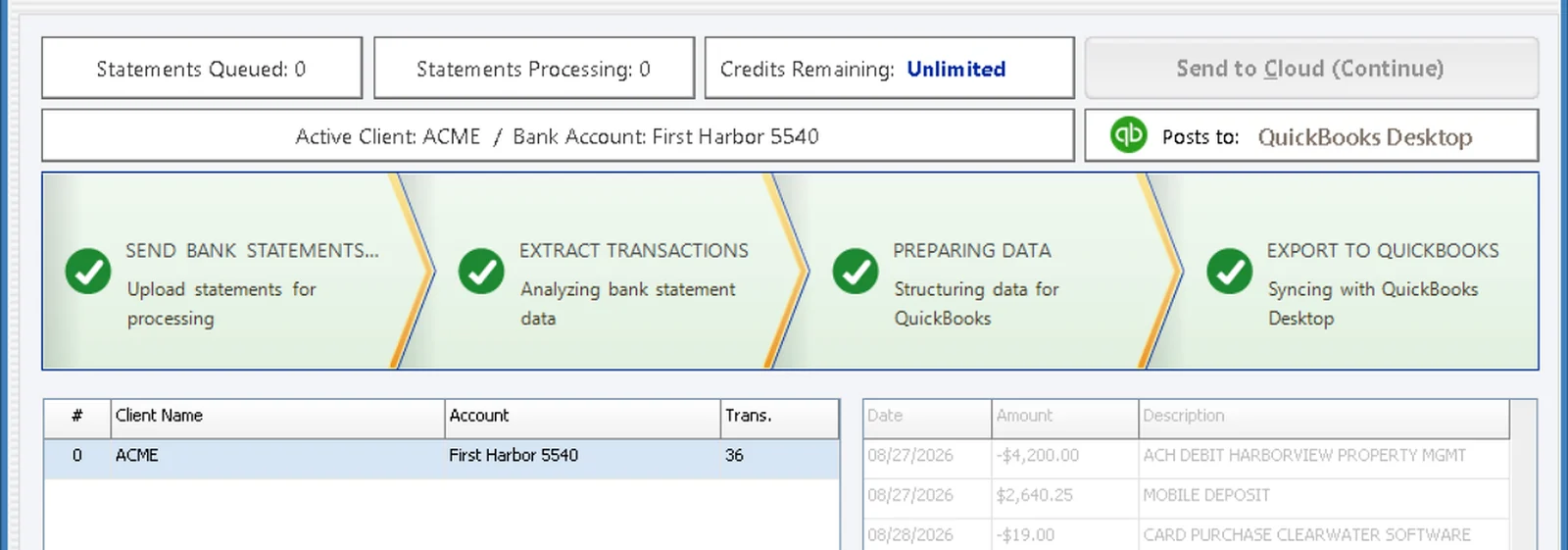

Why the typing never dies on its own.
Manual entry has three quiet advantages. It needs zero setup: any statement, any client, any bank, a person can start immediately. It fails loudly: when a human mistypes, review usually catches it. And it hides inside other work: nobody's calendar says “type statements,” it just leaks into evenings and busy season.
That is why “we should automate this” stays on the someday list. There is never a moment when typing breaks badly enough to force the change. The pile just grows.
What it costs, in your numbers.
Skip the industry statistics; they describe someone else's firm. Take your own: hours of statement entry per week across the team, times your average hourly cost, times fifty-two. The calculator on our home page does it with two sliders.
Then add the costs that never make the spreadsheet: review time spent catching keying errors, the capacity ceiling in tax season, and the fact that data entry is the work new hires like least and leave over.
What a real replacement has to do.
Read anything
Not just clean PDFs from big banks: scans, odd layouts, credit unions and handwritten checks. A template per bank is just a new chore.
Categorize by your rules
The output has to land in each client's chart of accounts the way your firm codes things, or reviewers redo every line.
Prove the month
A count and totals tied to the bank's own numbers before anything posts. Without that you imported lines, you did not build books.
A rollout that does not disrupt a single client.
Pick the painful ten
Start with the clients whose statements hurt most: many accounts, scans, handwriting. If it works there, it works everywhere.
Run one month in parallel
Same statements, old way and new way. Compare the books line by line. This is what converts the skeptics on your own team.
Retire the typing client by client
Reviewers move upstream to classifications. Each month a few more statements go the new way, and the evening pile shrinks.
What changes after.
The work does not disappear; it moves up a level. The team that typed now reviews, asks better questions and takes on more clients without more headcount. Busy season still has more work, but the work scales by feeding in statements, not by staying late. That is the whole trade.
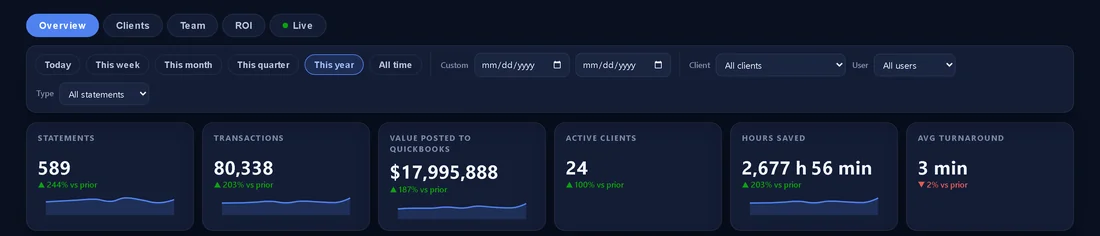
See it on your own statements.
Book a 15-minute demo and bring the messiest statement you have. We will run it live.