A converter hands you a spreadsheet. QBuddy hands you finished books.
Converters are cheap for a reason: they do the one step that was never the expensive part. Categorizing, checking and posting every line is still on your team. QBuddy does the whole flow, from the PDF to QuickBooks, and then shows you what it saved.
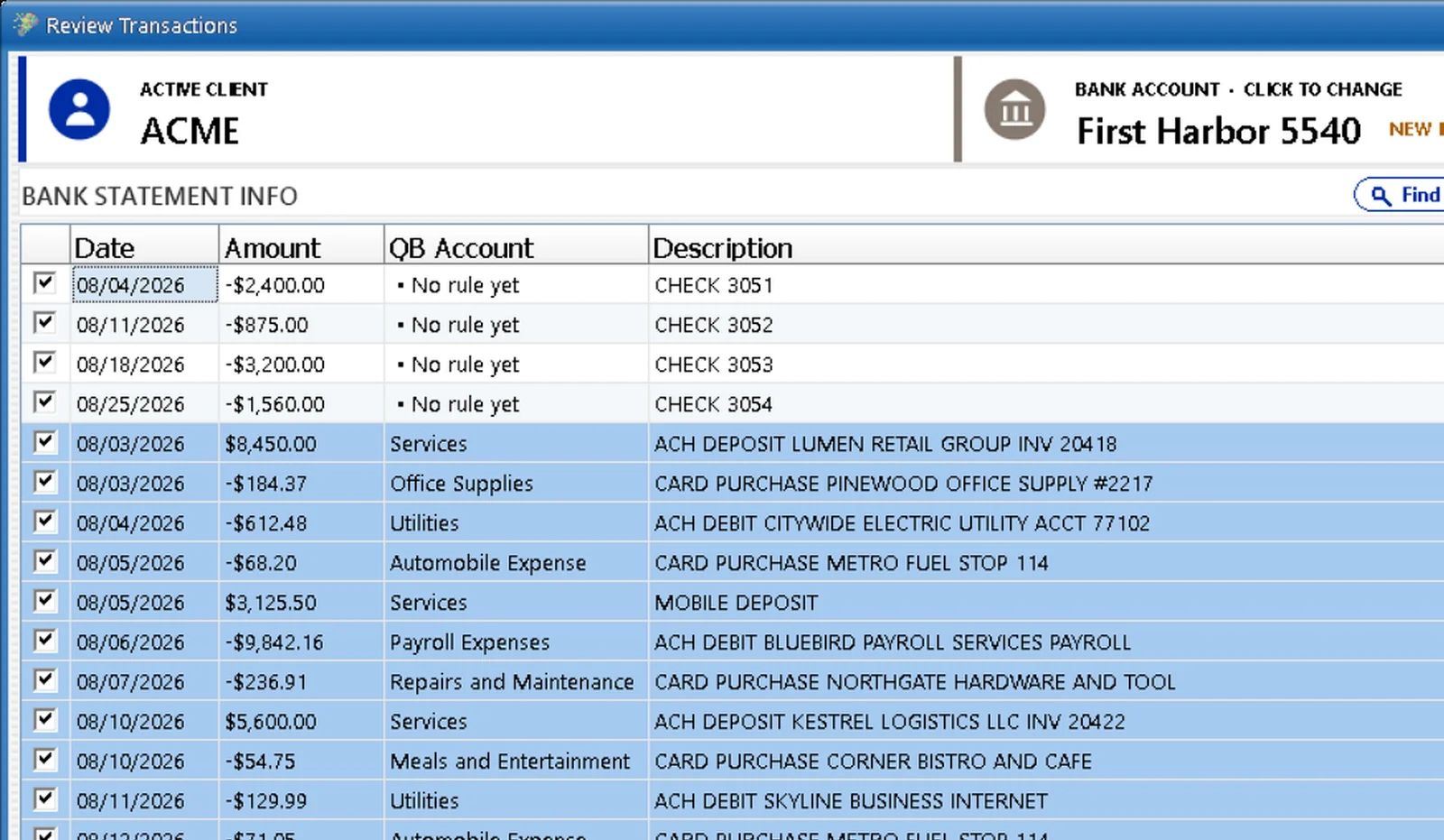

Conversion is step one of six.
Every firm that uses a converter runs the same routine afterwards, and it rarely gets counted. The file comes out, and then a person does the bookkeeping:
That is not conversion. That is bookkeeping by hand, on top of a conversion. The converter takes the cheapest minute out of the job and leaves the expensive hour in.
What each one actually hands you.
| Statement converter | QBuddy | |
|---|---|---|
| What you get | A spreadsheet or CSV of the lines | Transactions read, checked, categorized and posted |
| Handwritten checks | A line that says CHECK and a number | Payee and memo read from the check image |
| Categorization | By hand, in the spreadsheet | Your rules, on each client's own chart of accounts |
| Rules across clients | None | Reuse a rule from one client on another |
| Verification | None: you tie out by hand | BalanceProof: count, credits, debits and ending balance against the bank |
| Into QuickBooks | Import file, error report, fix, repeat | One click, QuickBooks Online or any Desktop version |
| Who did what | No record | Every statement, client and person on one dashboard |
| What it saved you | Unknown | An ROI report in your own minutes and hourly cost |
The tool that looks cheaper.
Nobody runs a firm on consumer tax software. Same reason.
Consumer tax programs exist, they cost far less than the professional suites, and no firm that serves dozens of clients runs on one. Not because the cheap program cannot file a return, but because every missing feature turns into an hour of somebody's time, many times a year. The cheaper tool is the expensive one.
A statement converter is the consumer tax program of bookkeeping. It does one step well and leaves the rest to your staff. The cost never shows up on an invoice. It shows up in the evenings.
What only the whole flow gives you.
Rules that belong to each client
Teach a rule once, on that client's own chart of accounts, and next month's statement arrives categorized. A rule that fits another client can be reused there.
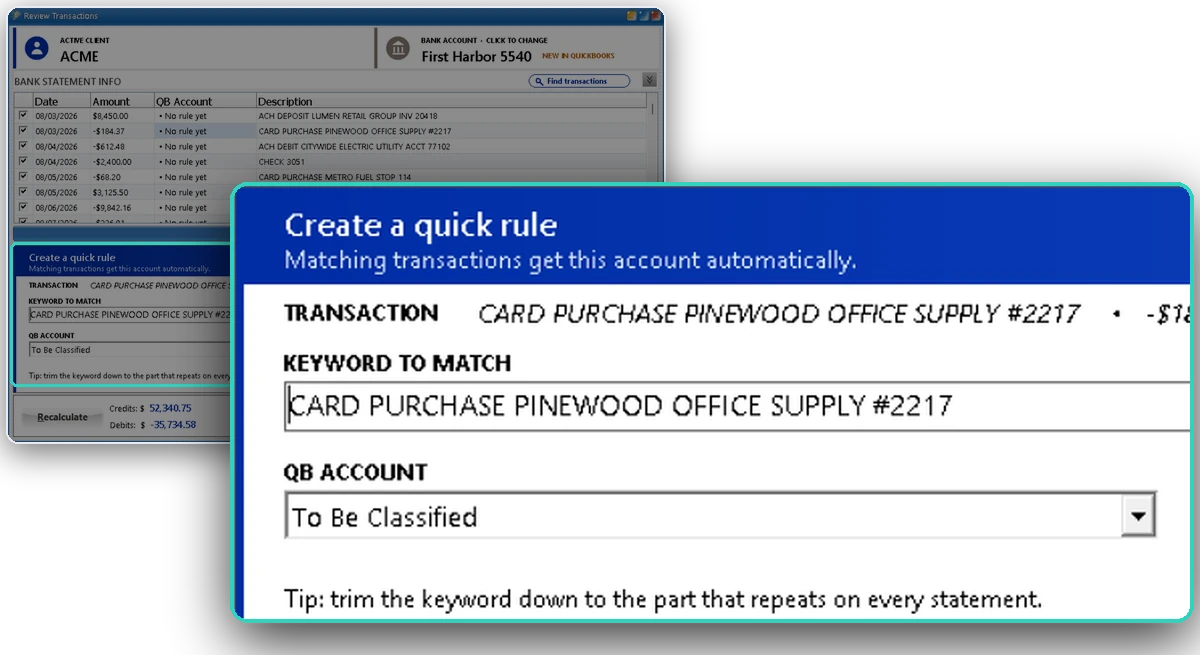
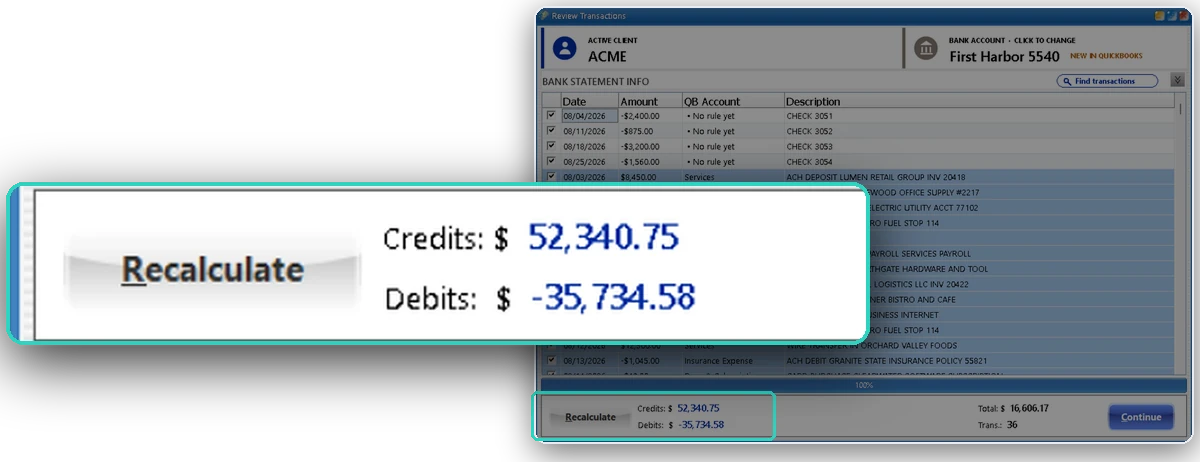
Every total checked before it posts
The bank prints its own totals. QBuddy adds up what it read and compares, to the penny, before anything reaches QuickBooks. That is BalanceProof.
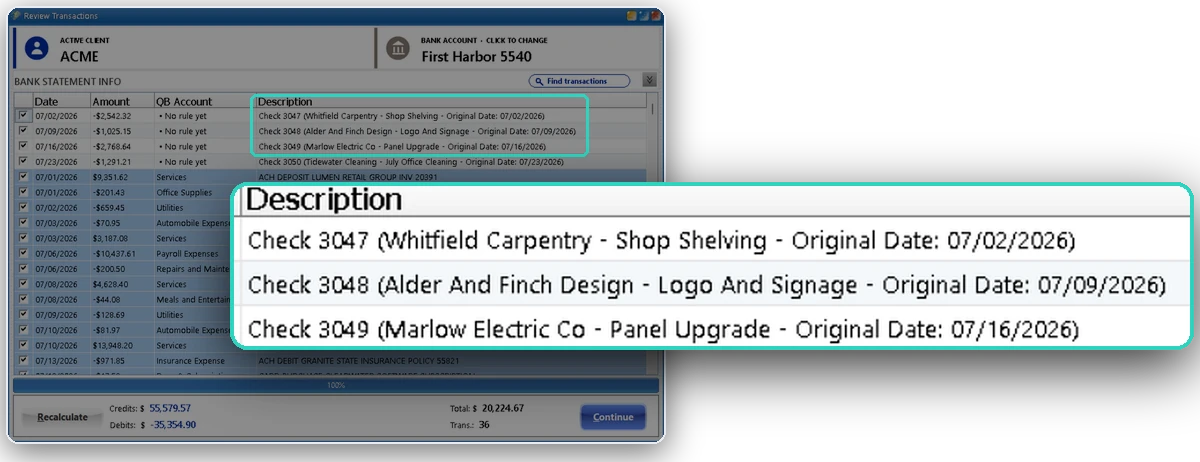
Handwritten checks, read
A converter gives you CHECK 3051. QBuddy reads the check image too, so the line arrives with the payee and the memo.
A number instead of a feeling
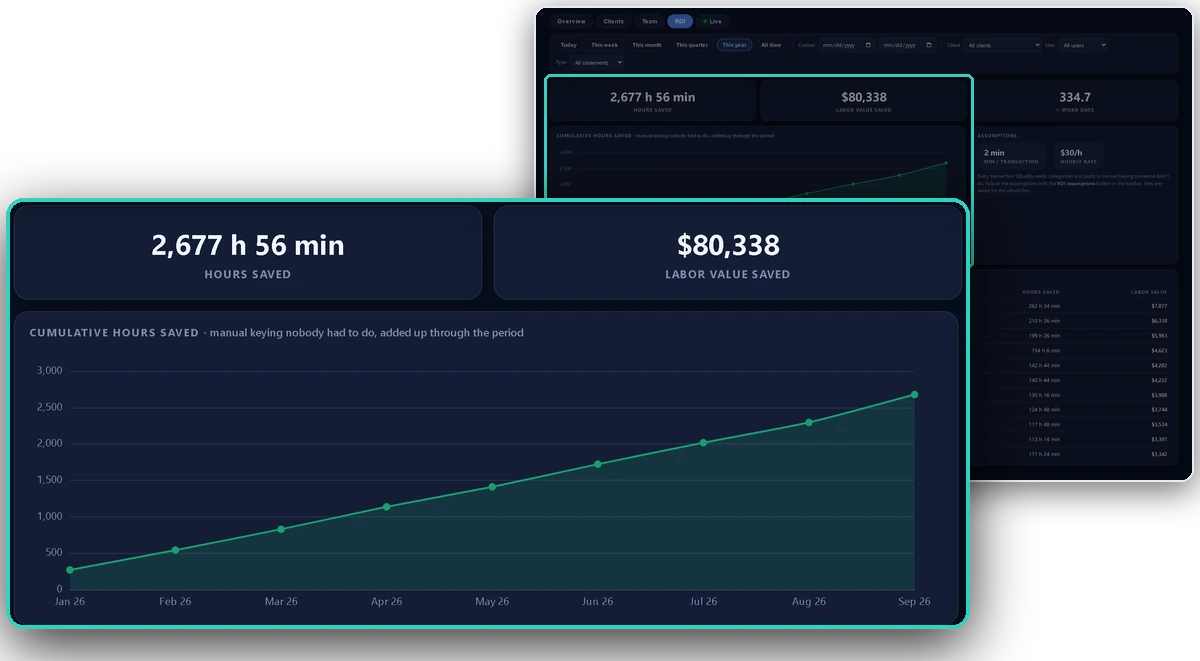
The ROI report counts the hours and the labor value saved, in your minutes per transaction and your hourly rate, client by client.
One click into QuickBooks
QuickBooks Online or any Desktop version, chosen per client. No import formats, no error reports, no second pass.
The whole firm on one screen
Statements, transactions, clients, who did what and how fast. You see how the work flows, not just that it happened.
Any bank, PDF or CSV
Big banks, credit unions, scans and exports. No template per bank to maintain.
The screens on this page are QBuddy with a sample firm and invented data.
When a converter is enough, and when it is not.
A converter is fine when
- You handle a handful of statements a year
- There is one client and nothing to categorize twice
- The person converting would have typed it anyway
- Nobody needs to prove the month to anyone
It is time for QBuddy when
- The same statements come back every month
- Many clients, each with its own chart of accounts
- Someone has to check every total before it posts
- You want to know what the work really costs
Run the test on your own statements.
Pick one client, one month
The statements you already have. Nothing to set up, nothing to change for the client.
Time the routine after the converter
From the file to posted and tied out. Count every step, not just the conversion.
Run the same month in a demo
Watch QBuddy read, check and post it, then read the ROI report with your own hourly rate in it.
See it on your own statements.
Book a 15-minute demo and bring the statement your converter struggles with. We will run it live.